Web design is the process of planning a website’s visual structure, content hierarchy, user interactions, and usage experience across different devices. However, in today’s digital landscape, creating a successful website goes far beyond defining colors, visuals, and page layouts. User experience, mobile compatibility, technical performance, accessibility, SEO infrastructure, security, and conversion goals are all critical components of the web design process.
In particular, for corporate websites, design directly impacts the company’s digital presence and the first impression it makes on visitors. A professional website must accurately reflect brand identity, enable users to easily find the information they need, and possess a technical infrastructure that supports the business’s digital objectives.
In this guide, we will explore in detail what web design is, the professional web design process, the meaning of corporate web design, the factors that determine a website’s professionalism, the UI/UX approach, responsive design, site performance, SEO infrastructure, security, and the role of content management systems like WordPress in corporate projects.
1. What is Web Design?
Web design encompasses all the work involved in planning how a website will appear to users and how it will be experienced. Decisions regarding which sections the page will consist of, how the menu will be structured, how headings will be organized, which colors and fonts will be used, and how visitors will be directed to important content fall within the scope of the web design process.
Therefore, it is incorrect to limit the concept of web design solely to the visual appearance of a website. A visually impressive website may not provide a successful user experience if visitors cannot find the information they are looking for or easily locate the functions they wish to use.
Similarly, a website that looks good on a desktop computer but has unusable menus, unreadable text, or broken layouts on mobile devices does not fully meet current web design standards.
Professional web design therefore requires the combined evaluation of aesthetics, usability, information architecture, and technical requirements. The purpose of design is not only to attract attention but also to make it as clear as possible what users should do within the website.
What Elements Does Web Design Cover?
When designing a website, numerous components that appear independent actually form parts of the same user experience. In a professional web design project, the following elements are typically evaluated together:
- Page layout and content hierarchy
- Color palette and use of corporate colors
- Typography and text readability
- Photography, illustrations, and other visual content
- Menu and navigation structure
- Buttons, forms, and other user interface components
- Behavior on mobile, tablet, and desktop screens
- User experience and user journey
- Conversion points such as contact, quote requests, or purchases
- Understandability of content for both users and search engines
The use of these elements within a specific system creates design consistency. For example, when a visitor moves from the homepage to a service page, they should not feel like they are using a completely different website. Fundamental design decisions, from button behavior to heading hierarchy, must be consistent across the entire site.
This approach also facilitates future expansion of the website. Instead of designing every new service or landing page from scratch, a sustainable structure can be built over the existing design system.
2. Why is Web Design Important?
A website is often one of the first digital touchpoints where potential customers encounter a brand. After discovering a company via search engines, social media, or other digital channels, users may visit the company’s website to learn more. Therefore, the experience encountered on the website can form a significant part of the initial impression of the brand.
Complex navigation, hard-to-read text, missing contact information, outdated content, or pages that break on mobile devices make it difficult for users to find the information they need. In contrast, clear information architecture, understandable service pages, and a consistent visual language help the brand communicate itself more accurately.
Web Design from the User’s Perspective
From the user’s perspective, the primary goal of good web design is to enable users to access the information they need with minimal friction. Users should not have to learn how the site works.
For example, if a visitor wants to review the services offered by a company, they should be able to easily find the service pages; if they want to obtain pricing or project information, they should be clearly directed to the relevant contact or quote form.
Web Design from the Brand’s Perspective
A website is also an important part of a brand’s digital identity. Elements such as logo, colors, typography, photographic style, text tone, and page layout must align with the company’s other corporate communication materials.
A consistent design language is particularly important for corporate websites. This is because a website is not just a channel that provides information; it is a communication platform that shows how the company presents itself to its customers, partners, job candidates, and other stakeholders.
Web Design from the Perspective of Marketing and Conversion
Web design can also directly impact digital marketing performance. When a user reaches the site via an ad or organic search result, the outcome of that visit in terms of action is influenced by the page design and content structure.
Conversion points such as quote forms, phone links, WhatsApp communication, reservations, email requests, or purchases must be presented in the right places. However, filling every section with aggressive calls to action can negatively affect user experience.
Therefore, a well-designed website first provides the user with the information they need, and then shows them the next step in the appropriate context. A site that is visually successful but fails to guide visitors toward the desired action may not be sufficient for the business’s digital goals.
3. What is the Difference Between Web Design and Web Development?
Although the terms web design and web development are sometimes used interchangeably in everyday language, they actually refer to different areas of expertise. Simply put, web design focuses on planning the structure that users will see and experience; web development focuses on technically converting this structure into a working website.
Web Design
Decisions regarding user interface and user experience are made during the web design phase. The overall page layout, visual hierarchy of headings and text, button placement, colors, spacing, visuals, and behavior across different screen sizes are all parts of this process.
Wireframe work is also typically used at this stage. A wireframe is a structural draft that shows which content blocks will be located where before the final visual design. This allows the page’s logical flow from a user perspective to be evaluated before moving on to colors and visual details.
Web Development
In the web development phase, the design is technically implemented. Front-end development involves creating the interface seen by visitors in their browsers using technologies such as HTML, CSS, and JavaScript.
Back-end development may include server-side processes depending on the nature of the project, such as databases, user accounts, admin panels, API connections, payment systems, reservation infrastructure, or integrations between different software applications.
When content management systems like WordPress are used, the design and development processes are integrated with the CMS structure. This allows business administrators to update designated content via the admin panel.
Why Should Design and Development Be Planned Together?
Since design decisions have technical consequences, running these two disciplines completely independently can lead to various issues. For example, uncontrolled use of high-resolution images, heavy video content, excessive fonts, or unnecessary animations can affect page performance.
Similarly, if a website’s content management requirements are not considered during the design phase, special interventions may be required for every new piece of content in later stages. This can make project maintenance difficult and create technical debt.
In a professional project, design decisions should be evaluated alongside development capabilities, and development decisions should be evaluated alongside user experience and business goals.
4. How Does the Professional Web Design Process Proceed?
A professional web design process should not begin directly with the visual design of the homepage. First, it must be determined what problem the website will solve, who it targets, what content it will host, and what actions are expected from visitors.
1. Needs and Goal Analysis
At the beginning of the project, the business’s field of activity, target audience, products or services offered, competitors, and existing digital assets are analyzed. The primary goals of the website must also be determined at this stage.
For example, the user journey for a corporate presentation site that is only expected to provide company information is not the same as that for an e-commerce project that sells directly online. Similarly, the content priorities of a B2B service provider may differ from those of a brand serving consumers.
2. Site Architecture
Once needs are defined, the website’s information architecture is created. Basic pages such as homepage, about us, services, sub-service pages, projects, references, blog, and contact are determined.
In large projects, services or products may need to be separated into their own categories. Determining which topic will be addressed under which URL at this stage can create a more sustainable structure for both user experience and SEO.
3. Wireframe and UX Planning
After the site map, the content flow of individual pages is planned. Wireframe work can determine the order in which headings, descriptions, service details, references, visuals, FAQs, and CTA areas are displayed.
The primary goal here is to ensure that visitors experience the page based on their own information needs rather than the company’s organizational structure.
4. UI Design
Once the UX structure is clear, a visual design system is created. Brand colors, typography, buttons, cards, icons, form elements, visual usage styles, and spacing systems are evaluated together.
This approach ensures that not only the homepage but also future new service and content pages can be sustained within the same visual system.
5. Web Development
Approved designs are transferred to the technical infrastructure. Responsive behaviors, forms, menus, content management areas, necessary integrations, and custom functions are developed.
It is important that the technology used can meet not only current needs but also the project’s potential for future growth.
6. Content and SEO Infrastructure
Page titles, text, URL structures, meta information, visuals, internal links, and content hierarchy should be evaluated together with the SEO strategy.
Viewing SEO as a separate process performed after the website is complete may require comprehensive changes to the URL structure or site architecture later on. Therefore, fundamental SEO decisions must be included in the design and development process as much as possible.
7. Testing and Launch
Before the website goes live, it should be checked across different screen sizes and browsers. Forms, links, redirects, 404 pages, indexing settings, visuals, and basic performance metrics must be tested.
The installation of measurement systems like Google Analytics and tools that help track search visibility like Google Search Console can also be included in the launch process depending on project requirements.

5. What is Corporate Web Design?
Corporate web design is a professional website approach planned in line with a business’s brand identity, target audience, services, communication goals, and digital strategy.
The term “corporate” here does not simply mean using specific colors, creating a minimalist design, or making the website look visually expensive. A corporate website must be able to clearly explain who the company is, what services it offers, in which areas it specializes, and how visitors can communicate with the company.
For this, the joint planning of brand identity, information architecture, user experience, mobile compatibility, technical performance, security, SEO, and conversion goals is required.
In a professional corporate website design process, instead of adapting a ready-made visual template to the business, the project’s needs, users’ information-seeking behavior, and the company’s digital goals should be evaluated together.
What is the Difference Between Corporate Web Design and a Standard Website?
Technically, both projects may use similar technologies. The fundamental difference lies not in the software used but in the planning approach. In a corporate project, the website is considered part of the brand’s broader communication system.
For example, instead of showing only a few short descriptions under a “Our Services” heading, separate pages can be created for each important service that answer users’ questions, are understandable by search engines, and link to relevant conversion points.
Similarly, corporate identity is not implemented merely by adding the logo to the site. Colors, typography, visual selections, text language, iconography, and interface behavior must all support the same brand character.
6. What Determines a Website’s Professionalism?
A website’s professionalism cannot be created solely by using a single color palette, modern animations, or high-quality visuals. The brand language, content quality, usability, and technical reliability encountered by the user throughout the site must support each other.
Therefore, a website’s professionalism should be evaluated not only through visual design but also through the total digital experience presented to the visitor.
Brand Identity and Visual Consistency
The logo, color palette, typography, iconography, photographic style, and other visual elements must align with the brand’s existing corporate identity. Having different pages of a website appear as if they were designed independently can weaken the professional perception.
Consistency also makes it easier for users to learn the site. For example, if buttons in a specific color always represent the primary action, visitors can understand this visual cue on other pages as well.
Professional Typography and Content Hierarchy
Professional typography is not just about choosing the right font. Headings, subheadings, paragraphs, lists, and helper text must be visually distinct from each other. Font sizes, line height, text width, and spacing directly affect readability.
When a user first opens a page, they scan the content before reading all the text. Correct heading hierarchy helps important information be understood during this scan.
Authentic and Reliable Corporate Content
A professional website should not consist solely of general marketing phrases. Real information about the company’s areas of operation, service scope, working methods, experience, projects, and as much as possible, team or operational structure should be provided.
Expressions like “quality service,” “customer satisfaction,” or “innovative solutions” do not distinguish a company from its competitors on their own. Showing which processes, expertise, or project experience these claims are based on creates a stronger corporate narrative.
Corporate Contact Information
Basic information such as phone number, corporate email address, address, and contact form must be easily findable by users. Depending on the business structure, tax or trade information and other legal details can also be provided in relevant areas.
For users researching a company before making a service purchase decision, clear contact information is one of the key trust factors.
References, Projects, and Social Proof
References can be concrete indicators of a company’s past work. However, rather than showing only a large number of client logos, explaining the scope of the project and the resulting solution as much as possible provides a more informative approach.
Content such as case studies, project details, verifiable customer reviews, or sectoral experience can help visitors evaluate the company’s competence in a more concrete way.
User Experience
A corporate appearance is not just about how the design looks. The visitor’s ability to easily use the menu, find the service they are looking for, read the text, and reach communication channels are also parts of the corporate experience.
An impressive but difficult-to-use website may not be sufficient from a user perspective, even if it looks professional.
Mobile Compatibility and Technical Quality
It is now a fundamental requirement that a website works correctly on phones, tablets, and desktop devices. In addition, HTTPS usage, working links, up-to-date technical infrastructure, correct redirects, fast-loading pages, and seamless forms also support the professional website experience.
SEO and Digital Visibility
A corporate website does not have to serve only as a business card for existing customers. With the right information architecture and content strategy, it can also ensure that the services offered by the company are findable in search engines.
For this, creating separate and meaningful pages that comprehensively explain topics users are looking for, rather than listing services in a few lines on a single page, can provide a healthier structure.
Ultimately, what determines a website’s professionalism is not just “how it looks.” When brand identity, design consistency, authentic corporate content, references, user experience, mobile compatibility, performance, security, and SEO are evaluated together, a trustworthy and sustainable corporate website emerges.
7. What Should Be in a Corporate Website?
The structure of a corporate website can vary depending on the company’s field of activity, target audience, and digital goals. Therefore, not every business needs to use the same page structure or features. However, for a professional corporate website to correctly represent the brand, answer users’ questions, and support communication or conversion goals, it must have certain fundamental components.
What is important here is not adding as many pages or features as possible, but presenting the information users need in their decision-making process within a correct hierarchy.
A Clear Value Proposition
When users reach the website, they should be able to understand what the company does quickly. Headings and descriptions used in the first section of the homepage, especially, should not consist solely of catchy slogans.
The service the company offers, its area of expertise, or the user group it targets should be expressed as clearly as possible. Users should not have to read long paragraphs to understand the core business.
A Professional Homepage
The homepage should not be viewed as an area where all information on the website is crammed onto a single page. Instead, it should serve as a hub that introduces the visitor to the company and directs them to sub-pages relevant to their needs.
In a well-planned corporate homepage, the company’s core value proposition, main services, key differentiators, selected references or projects, content areas, and communication directions can be presented in a specific hierarchy.
About Us Page
The About Us page does not have to consist solely of the founding year and a few general corporate phrases. The company’s history, areas of expertise, working approach, organizational structure, values, and team information (if necessary) can be described on this page.
In B2B projects especially, potential customers may research the company before purchasing services. Therefore, the About Us page must provide real information that builds trust.
Detailed Service Pages
If a company offers multiple services, listing all services in just a few lines on a single page may not be sufficient for users and SEO. Creating separate pages for main services allows for more detailed explanation of each service’s scope.
A good service page can include information such as what the service is, who it is suitable for, which needs it addresses, the working process, related solutions, and the user’s next step.
This structure also allows different search intents to be targeted via separate URLs.
References and Projects
The references section can be used to concretize the company’s experience. However, the references section does not need to consist solely of brand logos.
If the nature of the project allows, the scope of the work performed, the needs encountered, the solution developed, and the services used can be explained in a case study format. This way, users can evaluate not only who the company works with but also what kind of work it performs.
Contact Information and Contact Forms
Channels such as phone, email, address, and contact form must be easily accessible. Instead of hiding contact information in a small area at the very bottom of the website, it is more user-friendly to make it accessible where users might need it.
In forms, reducing unnecessary fields is important. Forcing users to provide too much information not needed for initial communication can make form completion difficult.
Legal and Corporate Pages
Depending on the business structure and how the website collects data, privacy policy, KVKK (Turkish Data Protection Law), cookie policy, terms of use, or other legal texts required for e-commerce projects may be present.
These pages should not be viewed merely as formalities that need to be linked in the footer; they must contain texts compatible with the business’s real processes and prepared with legal expertise when necessary.
Blog or Content Hub
Not every corporate website is required to publish a blog. However, if there are topics regularly researched by the target audience, a content hub can be created through guides, technical content, sectoral articles, or frequently asked questions.
This content can be used not only to obtain organic traffic but also to answer potential customers’ pre-purchase questions and explain the company’s areas of expertise in more detail.
Properly Positioned CTAs
CTAs, or calls to action, show users their next step. Directives such as “Get a Quote,” “Contact Us,” “View Project,” “View Service Details,” or “Book an Appointment” can be used depending on the project’s purpose.
However, using directives appropriate to the stage the user is at, rather than repeating the same CTA in every section, creates a more natural experience.
Measurement Infrastructure
After the website goes live, it should be measurable which pages users reach, which content they interact with, and which conversion points are working.
Analytics systems, Search Console data, and conversion measurements created according to the project’s needs help develop the website over time rather than letting it remain merely as a published digital asset.
8. UI/UX and User Experience
In professional web design, the frequently used terms UI and UX are closely related but do not mean the same thing. UI, or User Interface, refers to the interface components that users directly see and interact with. UX, or User Experience, focuses on the user’s total experience within the website.
A website having a strong visual interface does not mean it provides good user experience. Similarly, a very simple-looking website can provide an extremely successful UX through correct information architecture and user flow.
What is UI?
The user interface consists of buttons, menus, forms, cards, tabs, icons, headings, colors, typography, and other visual interaction components.
In a well-designed UI, components performing the same function exhibit similar behavior. For example, buttons representing the primary action should be used within a specific design system rather than looking completely different from page to page.
This consistency is important not only aesthetically but also for usability. Once a user learns how a specific visual element works, they do not have to rethink it when encountering the same structure on other pages.
What is UX?
User experience covers the entire process from the moment a visitor enters the website until they complete their intended task.
The fundamental question in UX is not just “Does this page look good?” More important questions are; whether the user can easily find the information they are looking for, whether the menu and page structure are understandable, whether important content is presented in the correct order, whether forms are overly complex, and whether the same tasks can be performed comfortably on mobile devices.
How is the User Journey Planned on a Corporate Website?
Not everyone visiting a corporate website starts at the homepage. Users may reach a service page, blog content, or project detail directly via Google. Therefore, every important page must be planned in a way that can serve as an entry point for the user.
- Google search result
- Relevant service page
- Scope and advantages of the service
- Related projects or references
- Working process
- Frequently asked questions
- Quote or contact form
Such a structure provides the information the user needs first, rather than confronting them directly with sales messages, then supports it with trust factors, and finally directs them to an appropriate conversion point.
Why is Visual Hierarchy Important?
Users do not always read web pages word by word from start to finish. Most users first look at headings, visuals, highlighted phrases, and buttons to understand whether the page is relevant to them.
Therefore, H1, H2, and H3 headings should be used not only for SEO purposes but also to create a readable content hierarchy. Heading sizes, paragraph lengths, lists, and spacing can help users scan long content more easily.
9. Mobile Compatibility and Responsive Web Design
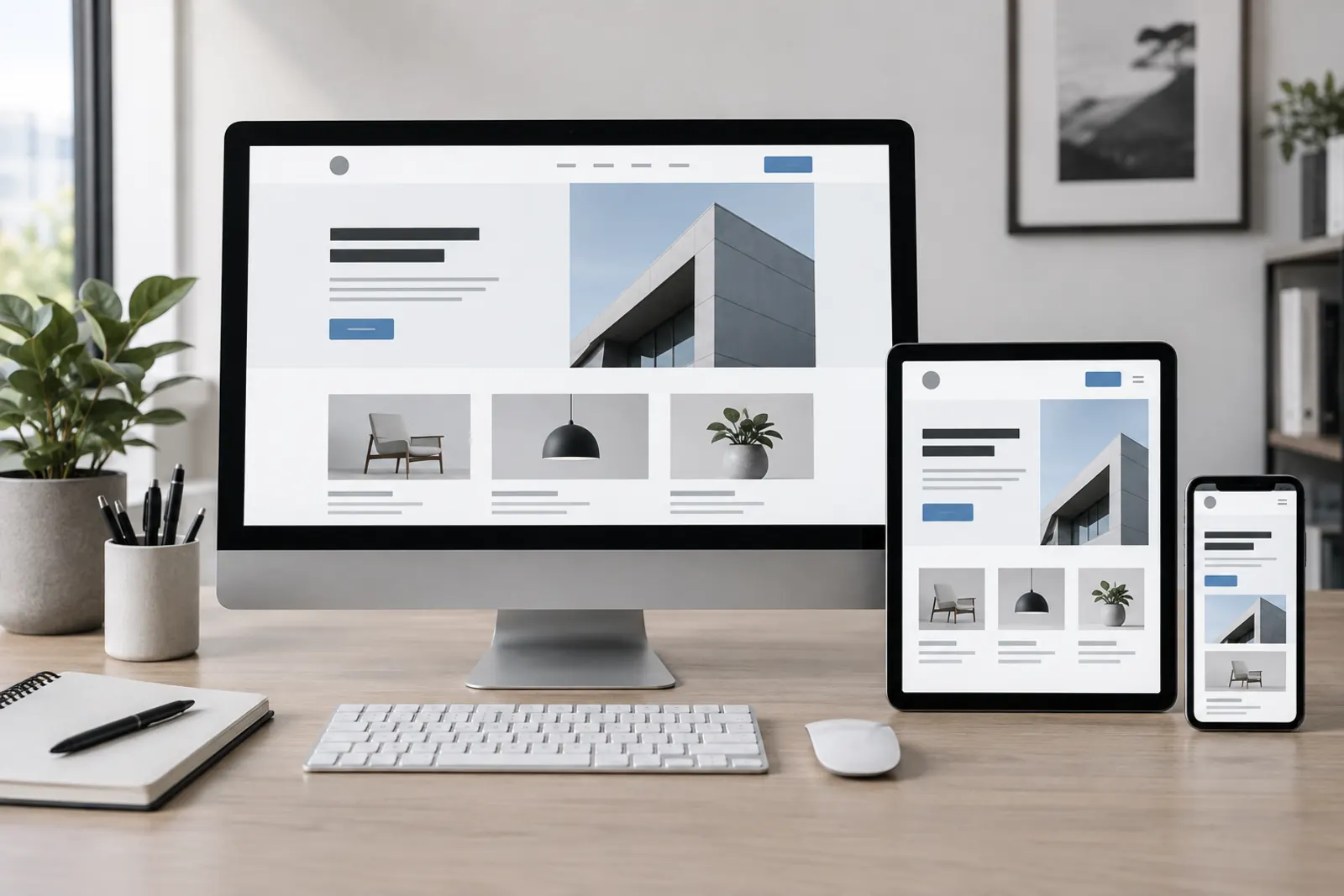
Responsive web design is the design of a website to provide a usable experience across different screen sizes such as desktop computers, tablets, and smartphones.
However, responsive design does not mean simply cramming a desktop website onto a smaller screen. As screen area changes, navigation, column structures, typography, visuals, buttons, and the prioritization of certain content must be re-evaluated.
What Should Be Considered in Responsive Design?
- Mobility of the mobile menu
- Texts being readable without zooming
- Buttons and links having sufficient area for touch use
- Images being correctly adapted to screen width
- Multi-column structures turning into a logical order on mobile
- Form fields being usable comfortably on phones
- CTA areas not blocking other content
- Tables and wide content remaining usable on small screens
- Avoiding unwanted behaviors like horizontal scrolling
What is Mobile-First Design?
The mobile-first approach involves creating design decisions primarily considering the needs of smaller screens and then expanding them to larger screens.
This approach does not mean that every project’s design process must start only on a phone screen. The fundamental goal is to ensure that the mobile experience is not viewed as a secondary adaptation done at the end of the project.
Especially on content-heavy websites, the limited area of mobile screens can help determine which information is truly important. It becomes clearer what content users should see first and which actions are prioritized.
Performance in Mobile Design
The mobile experience is not limited to the interface adapting to the screen. Users may reach the site via different devices and connection speeds.
Large images, auto-playing videos, unnecessary JavaScript files, or very heavy third-party components can create more prominent performance issues especially in the mobile experience. Therefore, responsive design and performance optimization should be evaluated together.
10. Site Speed and Core Web Vitals
Website performance is a technical dimension of user experience. If users have to wait a long time to see content after reaching a page, interactions are delayed, or content constantly shifts while the page loads, it can negatively affect the usage experience.
Therefore, in modern web development processes, not only whether the page “opens” but also how it loads and how it responds to user interactions is evaluated.
What are Core Web Vitals?
Core Web Vitals consist of metrics used to evaluate specific performance dimensions of real user experience. The current core metrics are LCP, INP, and CLS.
LCP – Largest Contentful Paint
LCP helps evaluate the loading time of the largest main content visible on the user’s screen. This element can be a hero image, a large heading area, or one of the main content blocks of the page.
Very large and unoptimized images, slow server responses, or the page’s main content being dependent on unnecessary scripts can affect LCP performance.
INP – Interaction to Next Paint
INP helps evaluate how quickly the interface responds to user interactions with the page. If a user clicks on a menu, button, or another interaction element and the page does not respond for a long time, it can create a poor user experience.
Running excessive JavaScript or processes that keep the main thread busy for a long time can affect interaction performance.
CLS – Cumulative Layout Shift
CLS evaluates unexpected shifting of content while the page loads. For example, if a button shifts downward due to an image loading later just as a user is about to click a link, this is a visual stability problem.
Allocating correct size areas for images, planning dynamic content, and controlling font loading behavior can help reduce such shifts.
What Affects Website Speed?
- Image size and format
- Server and hosting performance
- HTML, CSS, and JavaScript structure
- Unnecessary third-party scripts
- Fonts used and how font files are loaded
- Cache mechanisms
- CDN usage
- Database queries
- Theme and plugin structure in WordPress projects
- Use of video, sliders, and intensive animations
The important point here is that performance should not be viewed solely as the responsibility of the development team. Decisions made during the design phase can also affect page weight and loading behavior. Therefore, performance must be considered from the beginning of the design process.
For project-specific improvements to loading time, image weight, caching, and Core Web Vitals, explore our Website Speed Optimization service.
11. How to Do SEO-Compatible Web Design?
SEO-compatible web design is not just about adding keywords to a page or installing an SEO plugin on WordPress. To allow search engines to discover pages on the website, understand what the content is about, and direct users to the correct pages, technical infrastructure and information architecture must be planned together.
If URL architecture, heading structure, internal links, indexability, and performance are ignored during the design phase, subsequent SEO work may create unnecessary technical debt. Therefore, SEO should be evaluated as part of the project’s planning phase rather than as a separate layer added after the website is complete.
Site Architecture
One of the fundamental points of SEO infrastructure is determining which topic will be addressed on which page. If a company has different services, it may be necessary to divide them into separate pages based on search intent rather than describing all of them in a few paragraphs on a single page.
For example, while the main service page targets a broader concept, sub-service pages can address more specific user needs. This creates a more understandable content architecture for both users and search engines.
URL Structure
URLs should be as understandable, consistent, and permanent as possible. A page’s address is not just a technical identifier; it is part of the site architecture.
Unnecessary parameters, constantly changing addresses, or the same content being accessible via multiple URLs can make management and the SEO process difficult.
Heading Structure
H1, H2, H3, and subsequent HTML headings should be used to indicate the hierarchical relationship of topics within the content. Using heading tags solely to make text large or small is not a correct approach.
After the main page title is defined with H1, main topics can be structured with H2, and sections under these topics can be structured at lower levels like H3 if necessary.
Internal Links
Internal linking is connecting relevant pages on the website with meaningful links. For example, a comprehensive guide about web design can link to the relevant corporate web design service or from a section explaining SEO to a more comprehensive SEO service page.
Internal links should not be created solely for search engines. They must provide users with a logical resource to explore further on the current topic.
Crawl and Index Structure
It is necessary to ensure that search engines can access important pages and that which URLs are indexed is managed correctly. XML sitemaps, robots directives, canonical tags, noindex decisions, and redirects are parts of the technical SEO infrastructure.
For example, if filter or parameter systems cause the same content to exist under many different URLs without control, unnecessary crawling and indexing issues may arise.
Performance and Technical SEO
Page performance is important for both user experience and technical quality. Image optimization, correct cache configuration, reduction of unnecessary resources, and server performance should not be evaluated completely independently from SEO efforts.
Structured Data
Structured data consists of standard markings that can help search engines understand specific information on a page more clearly.
Depending on the nature of the project and page, Organization, Article, BreadcrumbList, or other appropriate schema types can be used. However, structured data should not be used to make it appear as if content exists on the page when it does not.
Content and Design Should Be Considered Together
SEO-compatible design is not just about technical settings. Weak content that does not truly answer the user’s question may offer limited value even if published on a technically flawless page.
Therefore, content strategy, information architecture, and technical optimization must complement each other. Efforts like the SEO services offered within Opphisse should also focus not only on keyword usage but on the joint development of site architecture, content structure, technical infrastructure, and organic visibility.
The healthiest approach is to view web design and SEO processes not as two completely independent works but as different layers of a shared digital infrastructure.

12. Security and Technical Infrastructure
A corporate website’s professionalism is not limited to the interface seen by the visitor. The reliability, up-to-dateness, and sustainability of the backend technical infrastructure are also important.
It is incorrect to speak of a “completely risk-free” structure for any website regarding security. The goal is to create layers that reduce potential risks, perform updates regularly, and have operational processes in place to recover if issues arise.
HTTPS and SSL/TLS
Having the website run over HTTPS helps encrypt communication between the browser and the server. Especially in structures involving data transfer such as contact forms, membership systems, or payment transactions, a secure connection is a fundamental requirement.
The use of HTTPS should be considered one of the standard technical requirements for corporate websites today, not just for e-commerce sites.
Software Updates
Keeping the content management system, theme, plugins, and server-side software up to date is important for security and compatibility. Especially in widely used systems like WordPress, plugins or components that have not been updated for a long time can create unnecessary risks.
Instead of applying updates directly to the production environment without control, managing them with backup and testing processes according to the project’s importance provides a safer approach.
Backup
Backup is not just copying files at regular intervals. Web site files and the database must be backed up regularly, backups must be restorable when necessary, and if possible, stored in a location independent of the production server.
The frequency of the backup plan can be determined by how often the site is updated. The backup needs of an e-commerce site receiving orders every day are not the same as those of a corporate site updating content a few times a month.
Web Application Firewall and Bot Protection
Depending on project needs, Web Application Firewall (WAF), rate limiting, bot protection, and similar security layers can be used. These systems can help filter specific malicious or automated traffic directed at the web application.
Form and Spam Security
Contact and quote forms on corporate websites can be targets for automated spam messages. Techniques such as CAPTCHA alternatives, honeypot methods, rate limiting, and server-side validation can be used depending on the project’s structure.
Limiting the data collected from users to only truly necessary fields is also important for both usability and data management.
Authorization and Admin Panel Security
Not everyone managing the website needs the same permissions. User roles appropriate to their needs can be defined for content editors, administrators, and technical users.
Strong password policies, multi-factor authentication where possible, removal of unnecessary user accounts, and control of admin access can be considered among fundamental security practices.
Hosting and Server Infrastructure
The hosting or server infrastructure on which the website runs directly impacts performance, accessibility, and security. Resources must be suitable for the project’s traffic and processing requirements.
The up-to-dateness of software used on the server, supported versions of PHP or similar runtime environments, database structure, cache mechanisms, and log management are also parts of long-term technical sustainability.
Ultimately, a professional website is not just a work that is designed and launched. Updates, backups, security checks, performance monitoring, and technical maintenance processes must continue throughout the website’s lifecycle.
For updates, backups, security checks, and reliable post-launch operations, review the scope of our Website Maintenance and Support service.
13. Is WordPress Suitable for Corporate Websites?
WordPress is one of the powerful content management systems that can be used for corporate websites with the right project architecture and technical configuration. However, whether WordPress is suitable for a project should not be evaluated solely based on the system’s popularity but according to the website’s requirements.
In corporate websites, the ability to update content without requiring technical knowledge is an important need. Service pages, blog content, projects, team members, announcements, or different content types can be converted into a structure manageable via the WordPress admin panel.
However, using WordPress does not automatically mean creating a fast, secure, or SEO-compatible website. The theme used, plugins, hosting infrastructure, development quality, database structure, security policies, and performance optimization directly impact the result.
What are the Advantages of WordPress for Corporate Websites?
One of the important reasons WordPress is preferred in corporate projects is its flexible content management structure. Custom content types can be created outside of standard pages and posts.
- Services
- Projects
- References
- Team members
- Blog content
- Frequently asked questions
- Products
- Locations or branches
This way, instead of the content editor recreating the page design for every new piece of content, they can fill in pre-determined structural fields.
Content Management
For a corporate website to be sustainable in the long term, it is important that a software developer is not needed for every text change. WordPress can provide a manageable CMS infrastructure for content teams at this point.
However, customizing the admin panel specifically for the project may be beneficial. Reducing unused fields and unnecessary options, allowing editors to access only the sections they need, facilitates content management.
SEO Flexibility
Page titles, meta information, URL structures, canonical settings, sitemaps, redirects, and other fundamental SEO components can be managed on WordPress.
However, SEO performance is not automatically provided by the CMS used. Site architecture, content quality, internal linking, performance, and technical structure must still be planned separately.
WordPress and Custom Development
WordPress does not just mean creating a website using a ready-made theme. Custom themes, blocks, plugins, API integrations, and content management structures can be developed for the project.
Therefore, two websites created with WordPress can be technically completely different from each other. While one project may use a standard theme and many plugins, another project may prefer custom design, a custom theme, and a more controlled architecture consisting only of necessary functions.
WooCommerce Integration
If a corporate website needs e-commerce functions in later stages, solutions like WooCommerce can be used within the WordPress ecosystem.
However, as the number of products, order volume, integration requirements, ERP connections, multi-warehouse structure, or custom pricing models increase, the project’s technical requirements must be evaluated separately.
When is WordPress Preferable?
WordPress can be evaluated for corporate websites, service sites, publication and blog projects, landing page structures, and e-commerce projects of certain scales where content management is important.
If a business wants to manage the content on its website with its own team, publish content regularly, or control different content types from a central panel, a CMS approach can provide significant advantages.
When Might WordPress Be Insufficient?
Not every digital project requires a content management system. Applications with very specific business logic, systems processing high levels of real-time data, complex SaaS platforms, or software with specific performance and architectural requirements may be better suited to different technologies.
Therefore, the correct question should not be “Is WordPress good?” but “Is WordPress the right solution for this project’s requirements?”
In projects where content management is planned together with custom design and technical optimization, a professional WordPress web site development approach can create an infrastructure that allows the business to manage its own content and be developed in later periods.

14. Ready Theme or Custom Web Design?
One of the fundamental questions businesses face when planning to have a website made is the difference between using a ready theme and having custom design done. Both approaches can have advantages and limitations for different project types.
Therefore, rather than taking an absolute approach like “ready themes are bad, custom design is always good,” budget, time, brand requirements, and technical needs should be evaluated together.
What is a Ready Theme?
A ready theme is a website interface designed previously and developed for use on a specific CMS or technology. The theme may contain page templates, header, footer, buttons, cards, and various ready-made components.
Ready themes can reduce development time especially for projects with limited budgets or those that need to be launched quickly.
Advantages of Ready Themes
- Can shorten the initial timeline.
- Can allow project creation with a lower design budget.
- Can offer many ready-made components for standard needs.
- May be sufficient for simple corporate projects.
Potential Disadvantages of Ready Themes
Ready themes may contain many features to be used in very different projects. Even if a significant portion of these features is not used in the real project, they may continue to exist within the theme.
Also, when intensive changes are needed on the theme, the time advantage gained at the beginning may diminish. Being bound by the theme structure can limit some design and development decisions.
The fact that popular themes are used similarly on many websites can also be a disadvantage for companies seeking a more unique appearance from a brand perspective.
What is Custom Web Design?
In custom web design, pages and the design system are created according to the project’s needs. Brand identity, target audience, content structure, and conversion goals are the starting points of design decisions.
In this approach, the goal is not just for the homepage to look different; a common design system is created from buttons and card structures to service pages and forms.
Advantages of Custom Design
- A visual identity specific to the brand can be created.
- User journey can be planned according to project requirements.
- Unnecessary design components can be reduced.
- Tighter integration with information architecture can be established.
- A sustainable design system can be created for future pages.
Are There Disadvantages to Custom Design?
Custom design may require more analysis, UI/UX work, and development. Therefore, the initial cost and project timeline may be higher compared to simple theme-based projects.
Also, for custom design to truly provide advantages, it is not enough for visuals to be drawn from scratch. The design must be planned together with user needs and technical requirements.
Which Should Be Preferred?
- Project budget
- Timeframe for launch
- Brand’s need for unique design
- Website functions
- Content volume
- SEO goals
- Planned future developments
A correctly chosen and optimized theme may be sufficient for a small business with standard needs. In projects requiring strong brand identity, comprehensive information architecture, or custom user flows, custom design may be a more suitable approach.
15. What Determines Web Design Prices?
Web design prices can vary significantly from project to project. The fundamental reason is that the phrase “a website” can define very different scopes.
A simple five-page corporate website and a platform containing hundreds of products, having ERP integration, and hosting custom user functions do not have the same development scope. Therefore, evaluating web design costs solely based on page count is often insufficient for most projects.
Page Count and Content Volume
The quantity of main pages, service pages, products, locations, blog content, or project pages to be created on the website affects the work scope.
However, there may be a significant workload difference between a project where 30 pages are created from the same template and a project where each of the 10 pages has a different user flow.
UI/UX and Design Scope
Using a ready design system is not the same scope as doing UI/UX work from scratch specific to the brand.
As wireframes, user flows, custom component systems, designs for different devices, and design revisions increase, the scope of the design process can expand.
Content Production
Providing texts on the website ready-made by the client is a different work item from preparing the content strategy, keyword research, and page texts within the project scope.
The same applies to photography, video, illustrations, and other visual content.
Scope of SEO Work
Basic technical SEO settings should not be evaluated in the same scope as comprehensive keyword research, competitor analysis, information architecture, landing page planning, and migration processes for existing URLs.
Especially if an existing website with organic traffic is being renewed, analyzing old URLs and planning necessary 301 redirects can be critical.
Custom Functions
- Membership systems
- Reservation infrastructure
- Custom quote systems
- E-commerce
- Payment infrastructures
- CRM integrations
- ERP integrations
- API connections
- Multi-language
- Custom search and filtering systems
- Customer panels
- Integration with external data sources
Performance and Technical Optimization
Custom cache architecture, CDN configuration, advanced image optimization, Core Web Vitals work, or server optimization for high traffic can also go beyond the standard development scope.
Maintenance and Support
In some projects, after the website is delivered, technical maintenance, updates, backups, security checks, and content support can be planned as a separate service.
Therefore, when comparing quotes, it is important to examine not only the total price but also which services are included in the project price.
Why Do Corporate Website Prices Vary from Firm to Firm?
Two agencies may offer different prices for the same project because their working methods and delivery scopes may differ. One quote may cover only the installation of a ready theme, while another may include analysis, custom design, information architecture, SEO, performance optimization, training, and post-launch support.
Therefore, when evaluating web design quotes, the question “what is included in this price?” must be asked alongside “how much is it?”

16. What Should Be Considered When Choosing a Web Design Agency?
When choosing a web design agency, looking only at the visual quality of the agency’s own website or the quote price may not be sufficient. Factors such as previously completed projects, technical competence, working process, and post-project support should be evaluated together.
Actually Review Their References
Instead of just looking at brand logos on the references page, open and review the actual websites they have created as much as possible.
The usability, content structure, mobile experience, and technical quality of the pages can provide more information about the agency’s working approach.
Check References on Mobile Devices
A design that looks impressive on desktop may have a weak mobile implementation. Therefore, it is helpful to review the projects implemented by the agency on phone and tablet screens as well.
Menu usability, text readability, buttons, forms, and page speed are important indicators of mobile experience.
Evaluate Technical Competence
A professional website is not just a graphic design work. The agency’s or project team’s approach to development, responsive structure, performance, SEO, security, hosting, and content management should also be evaluated.
This becomes especially important in projects with custom integrations or high technical requirements.
Clarify the Project Scope
It must be clear which pages will be created in the quote, whether the design will be a ready theme or custom design, who will prepare the content, the scope of the SEO work, and how many revision rights are included.
A very general service definition like “website creation” can lead to different expectations between parties in later stages.
Ask About Post-Project Support
It is important to learn how technical updates, backups, or potential issues will be managed after the website goes live.
Also, if the business is expected to manage its own content, it can be asked whether admin panel training or documentation is provided.
Examine the SEO Approach
The approach “SEO is done after the website is complete” may require reconfiguration in some projects. It should be examined whether the agency evaluates URL architecture, heading structure, service pages, performance, and internal linking at the beginning of the project.
Ask Why a Specific Technology Is Recommended
An agency using the same technology for every project is not wrong in itself; however, it should be explained why the proposed solution is compatible with the project’s needs.
If WordPress, custom software, or a different infrastructure is recommended, the reasons for the decision regarding maintenance, cost, performance, content management, and future developments must be understandable.
Evaluate Total Cost of Ownership, Not Just Initial Cost
A solution that appears low-cost initially may create different costs in the long term due to licenses, maintenance, performance issues, or the need for constant developer intervention.
In contrast, building an overly complex infrastructure beyond requirements can also create unnecessary costs. The correct solution must be proportional to the project’s real needs.
17. Frequently Asked Questions
What is web design?
Web design is the process of planning a website’s visual interface, page layout, content hierarchy, navigation, and user interactions. In modern web design, user experience, responsive structure, performance, and technical requirements are also evaluated together with visual design.
What does web design do?
Web design enables users to easily find information on a website and perform targeted tasks. It also helps the business’s brand identity be represented consistently in the digital environment, services to be presented understandably, and conversion goals such as communication or sales to be supported.
What is corporate web design?
Corporate web design is a professional website approach planned in line with a company’s brand identity, target audience, services, user experience, and digital goals. Corporate design covers not only visual appearance but also content, UX, mobile compatibility, performance, security, and SEO infrastructure.
What should a corporate website be like?
A corporate website must clearly explain what the company does, align with its brand identity, and enable visitors to easily reach services, references, and contact information. Additionally, technical requirements such as mobile compatibility, performance, security, accessibility, and SEO must be considered.
What determines a website’s professionalism?
A website’s professionalism is not determined solely by the design looking modern. Brand identity, typography, visual consistency, real company information, quality content, references, user experience, mobile compatibility, site performance, security, and technical infrastructure collectively create the corporate perception.
Are web design and web development the same thing?
No. Web design focuses more on planning the user interface, visual system, information hierarchy, and user experience. Web development involves converting this design into a working website using front-end and, if necessary, back-end technologies. In professional projects, these two processes are carried out in coordination with each other.
Is WordPress suitable for corporate websites?
Yes, WordPress can be a suitable content management system for many corporate websites with the right architecture and optimization. It provides advantages especially in projects where services, projects, blog content, and other corporate content need to be managed by the business. However, different technologies may be more suitable in cases of very specific application requirements.
What is responsive web design?
Responsive web design is designing a website to adapt to different screen sizes such as phones, tablets, and desktops. This approach does not just mean shrinking the page; it means adapting menus, columns, typography, visuals, forms, and interaction elements to the device’s usage conditions.
How long does it take to have a website made?
The project timeline varies depending on the scope of the website. Page count, custom design requirements, content preparation, multi-language support, integrations, e-commerce, and revision processes can affect the delivery time. Therefore, a healthy time estimate should be made after the project scope is clarified.
What do web design prices depend on?
Web design prices can vary depending on factors such as page count, UI/UX scope, choice of ready or custom design, content production, SEO work, multi-language support, e-commerce, custom functions, API integrations, performance optimization, and post-project support.
Is SEO work necessary when having a website made?
Not every project has the same organic search goals; however, it is beneficial to evaluate fundamental technical SEO requirements during the design and development phases. Decisions such as URL structure, heading hierarchy, indexability, internal linking, and performance may require additional technical work if changed later.
Should I prefer a ready theme or custom design?
The choice depends on the project’s budget, timeline, brand identity, and technical requirements. A correctly chosen ready theme may be sufficient for small projects with standard needs. In projects requiring original brand experience, comprehensive information architecture, or custom user flows, custom design may be more suitable.
Is maintenance required after a website goes live?
Yes. Depending on the infrastructure used, software updates, security checks, backups, performance monitoring, and content updates may be required. A website should be viewed as a digital asset managed throughout its lifecycle rather than a structure prepared once and left unchanged indefinitely.
A Professional Website Design Requires the Joint Planning of Design and Technology
Web design is not just about determining how a website will look. How users will use the site, how they will access information, what experience they will have on different devices, and at which points they will interact with the business are also parts of the design process.
In a corporate website, brand identity, authentic corporate content, trust factors, performance, security, and sustainable content management are added to these requirements. Therefore, a website’s professionalism is not formed by a single design element but by the quality and consistency of the total experience presented to the user.
Viewing topics like SEO, mobile compatibility, and performance as additional works to be done at the end of the project rather than considering them from the information architecture and design stages can reduce technical debt that may arise later.
At Opphisse, we evaluate design, information architecture, WordPress development, technical performance, and SEO requirements together in corporate web projects in line with the project’s goals. If you want to create a new corporate website or restructure your existing website, you can contact us about your project.
Sources and Further Reading
The following official technical documentation was consulted in the preparation of this guide regarding web design, user experience, responsive design, web performance, accessibility, and content management.
-
Google / web.dev – Web Vitals
Core Web Vitals, LCP, INP, CLS, and web performance measurement principles.
web.dev/articles/vitals -
Google / web.dev – Responsive Web Design Basics
Responsive web design, viewport, and web interfaces adaptable to different screen sizes.
web.dev/articles/responsive-web-design-basics -
MDN Web Docs – HTML: A Good Basis for Accessibility
Semantic HTML, accessibility, links, forms, and the use of correct HTML elements.
developer.mozilla.org -
W3C Web Accessibility Initiative – WCAG
Web Content Accessibility Guidelines and accessible web standards.
w3.org/WAI/standards-guidelines/wcag/ -
WordPress.org – WordPress Features
WordPress content management, theme system, plugins, custom content types, and developer features.
wordpress.org/about/features/ -
WordPress Developer Resources – REST API Handbook
WordPress REST API, custom applications, and content integrations.
developer.wordpress.org/rest-api/ -
WordPress Developer Resources – Common APIs Handbook
WordPress APIs, security, data validation, user roles, and developer tools.
developer.wordpress.org/apis/ -
Google / web.dev – Measuring Web Vitals
Measuring Core Web Vitals values with Lighthouse, Chrome DevTools, and real user data.
web.dev/articles/vitals-measurement-getting-started
Topics in this guide
This content was prepared by the Opphisse Editorial Team with digital strategy, web design and SEO experience, then reviewed for readability, freshness and source suitability before publishing.